Frequently Asked Questions (FAQ)
What is the difference between an estimate and an invoice?
An estimate is a quote before approval. An invoice is a payable billing document. After the customer accepts an estimate, convert it into an invoice.
Can I save a draft without sending?
Yes. Save the invoice as Draft. You can edit, preview, or send later.
How is invoice number generated?
Invoice number is generated from Business Profile > Document Settings using prefix, separator, postfix, pad width, and last number.
Can I edit invoice number manually?
The app can accept an invoice number, but it protects against duplicate/old numbers and may allocate the next valid number.
Can I create a customer while making an invoice?
Yes. Enter customer details in the invoice form. The app can save that customer for future use.
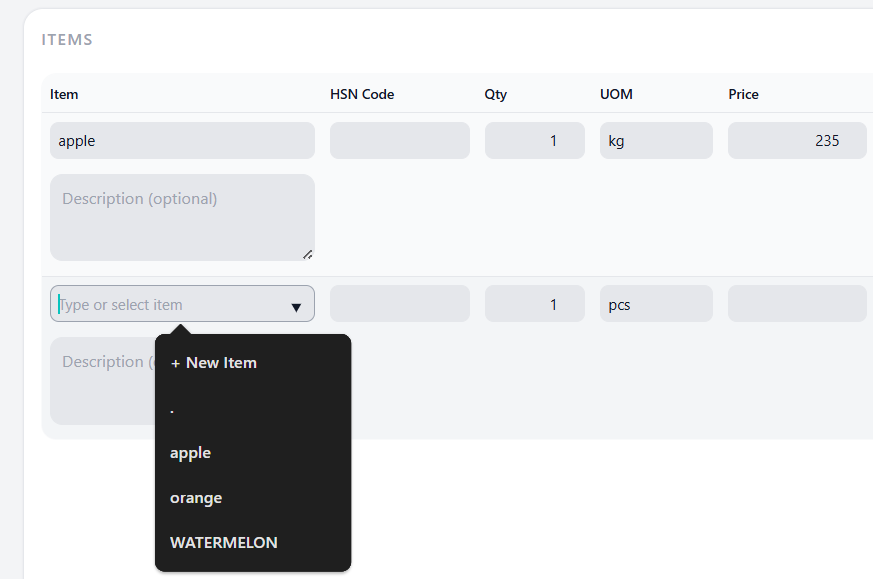
Can I create an item while making an invoice?
Yes. Use New Item from the invoice item section.
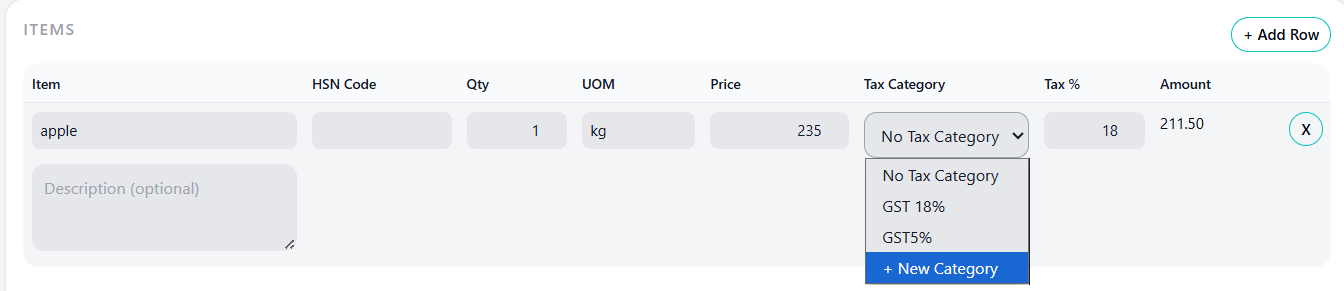
Can I create a tax category while making an invoice?
Yes. Use New Tax Category from the tax category dropdown/form.
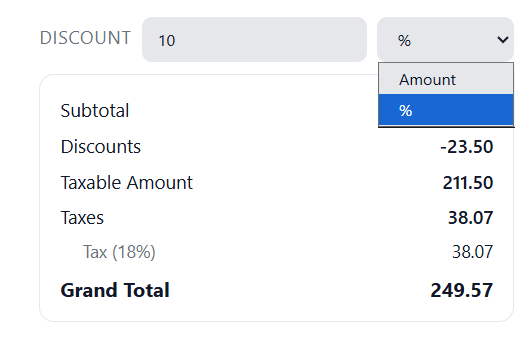
Can I apply discount?
Yes. Discounts can be amount-based or percentage-based.
Can I record partial payment?
Yes. Recording a partial payment changes the invoice to Partially Paid and keeps the remaining outstanding balance.
Can I delete a payment?
Yes. Delete the wrong payment from payment history. The invoice paid amount and status will recalculate.
Can I generate payment receipt?
Yes. Open invoice overview, go to Payment History, and click View Receipt.
Why is my invoice overdue?
An invoice becomes overdue when the due date has passed and it is not fully paid.
Do reminders send automatically?
Reminder records are scheduled when invoice status is Sent, Partially Paid, or Overdue.
Can I share invoice through WhatsApp?
From supported devices/browsers, use the preview share button to share the generated PDF through available apps. If not supported, download the PDF and send manually.
Why is public sharing blocked for ZATCA invoice?
For STANDARD ZATCA invoices, the invoice must be CLEARED before public sharing is enabled.
What is required for GST filing?
Business GSTIN, PAN, phone, email, invoice date, eligible invoice status, and correct tax/customer data.
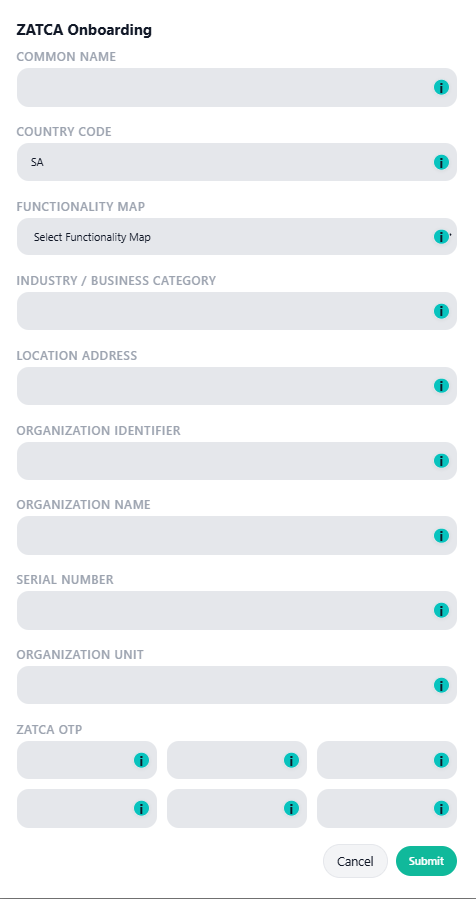
What is required for ZATCA?
ZATCA add-on, Saudi business setup, VAT number, QR mode, onboarding/signing details, and provider configuration.