Items
The Items page helps users manage products and services that can be reused when creating invoices and estimates, reducing manual entry and improving accuracy.
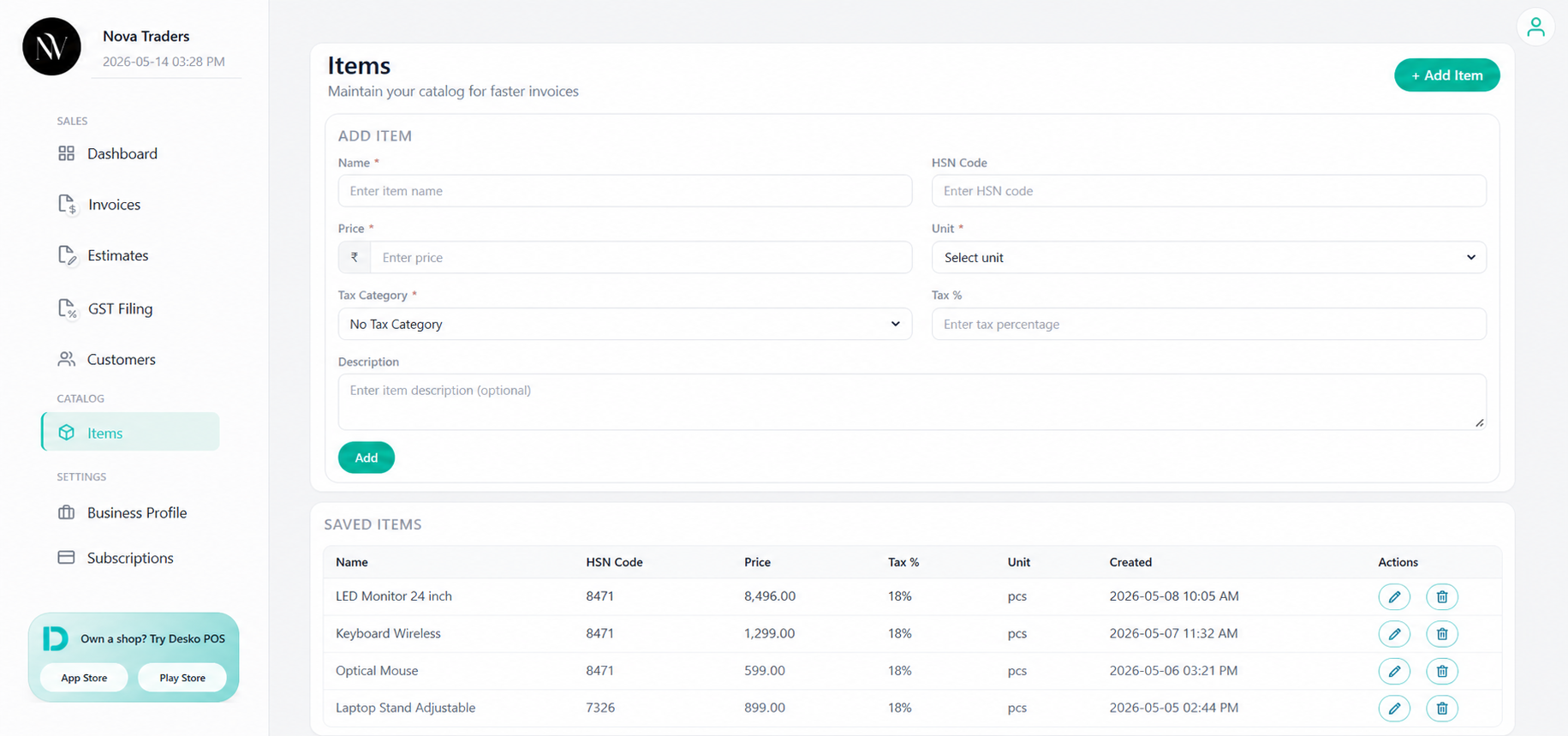
Item catalog fields
| Field | Purpose |
|---|---|
| Name | Product/service name. |
| HSN Code | HSN/SAC code used for tax reporting. |
| Price | Default unit price. |
| Tax Category | Reusable tax category. |
| Tax % | Tax percentage for the item. |
| Unit | Unit of measure. |
| Description | Extra item details shown in document. |
Supported units
Common unit options include:
pcs, kg, g, gm, l, ml, m, cm, sqft, box, pack, dozenAdd item
- Open Items.
- Click Add item.
- Fill name, price, tax, unit, HSN, and description.
- Save.
Edit item
Use edit to update price, tax category, HSN, unit, or description.
Delete item
Deleting an item removes it from the catalog. Existing invoices keep the item data that was already saved inside the invoice.
Best practices
- Save frequently used services/products as items.
- Use item-level HSN codes for GST-ready invoices.
- Use tax categories for consistent GST/VAT split.
- Keep unit and description clear for customer understanding.