Tax Categories
Tax Categories allow reusable tax structures across items, invoices, and estimates.
Why tax categories are needed
The Tax Categories page allows you to create and manage reusable tax rates. Once created, these categories can be applied to invoices and estimates without re-entering tax information each time. Examples:
| Category | Components |
|---|---|
| GST 18% | CGST 9% + SGST 9% |
| IGST 18% | IGST 18% |
| VAT 5% | VAT 5% |
Tax category fields
| Field | Description |
|---|---|
| Name | Category name such as GST 18% or VAT 5%. |
| Country | Country code such as IN or SA. |
| Total Rate | Total tax percentage. |
| Components | Individual tax split lines such as CGST, SGST, IGST, VAT. |
Component validation
The app checks that:
Total rate = Sum of component ratesExample:
Total Rate: 18%
Components: CGST 9% + SGST 9%
This is valid because the component total is also 18%.
Common component names
The UI suggests names like:
- CGST
- SGST
- IGST
- VAT
You can also type custom component names if needed.
Create tax category
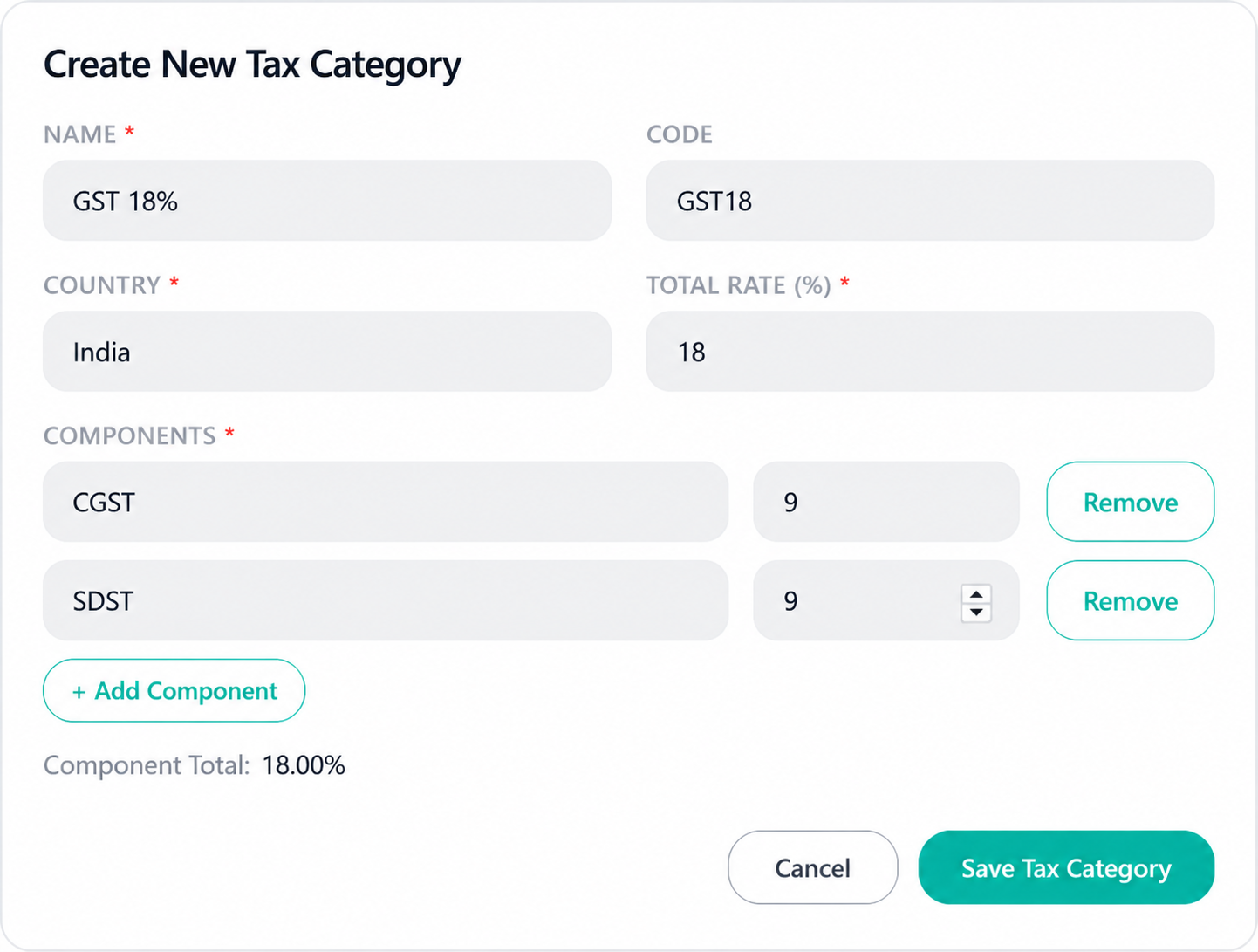
- Open Tax Categories.
- Enter name and tax code.
- Enter total rate.
- Add one or more components.
- Confirm component total matches entered total.
- Save.
Use tax category in items
After creating a category, open Items or Create Invoice and select the tax category for an item.
Best practices
- For Indian intrastate sales, use CGST + SGST split.
- For Indian interstate sales, use IGST.
- For VAT countries, use VAT component.
- Do not keep unused old categories active.