PDF, Export and Print
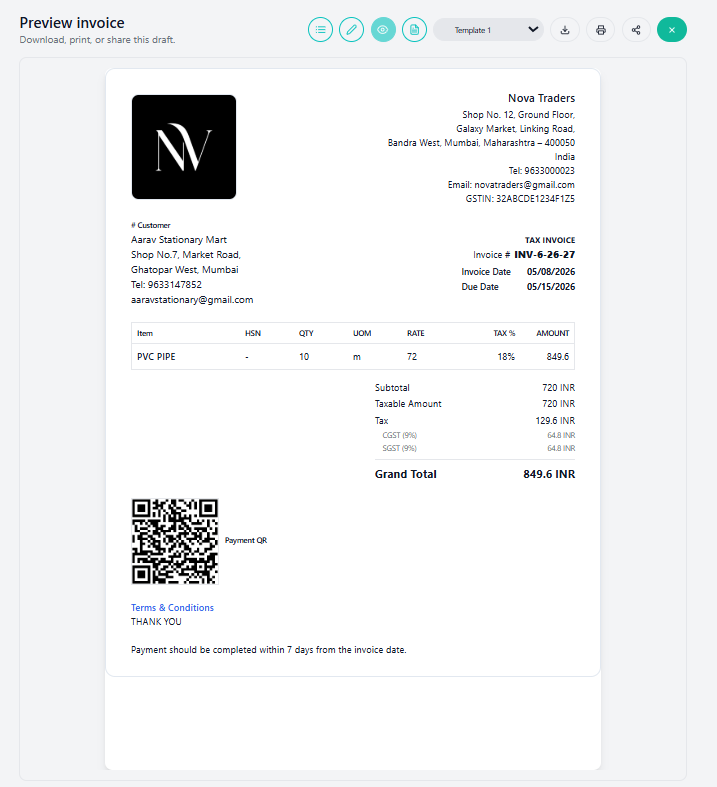
The preview page is used to confirm the final look of an invoice or estimate before sharing it.
Preview page actions
| Action | Meaning |
|---|---|
| List | Go back to invoice/estimate list. |
| Edit | Return to the editor. |
| Preview | Current active page. |
| Overview | Open saved invoice/estimate overview. |
| Template dropdown | Switch document template. |
| Download | Generate and download PDF. |
| Generate PDF and open print flow. | |
| Share | Use browser/device share support for the PDF file. |
| Close | Close preview and return to list. |
PDF generation
The PDF service uses:
- Document data
- Business profile data
- Selected template
- Template override
- Custom template HTML when selected
- ZATCA metadata when enabled
Download
The PDF is downloaded using the document number as filename.
Example:
INV-31.pdfPrint opens the PDF in a print-friendly window and triggers browser print.
Share
Share uses the browser/device Web Share API when supported. It shares the generated PDF file.
If the device/browser does not support file sharing, the app shows a “Sharing not supported” message.
Best practices
- Always preview before sending.
- Regenerate PDF after changing template, tax, discount, logo, or business profile.
- Use PDF download for official records.
- Use JSON export for technical backup or migration.