Business Profile & Document Settings
Business Profile is the foundation of Desko Invoice. Data saved here is reused in invoices, estimates, PDFs, receipts, reminders, GST filing, and ZATCA.
Profile tab
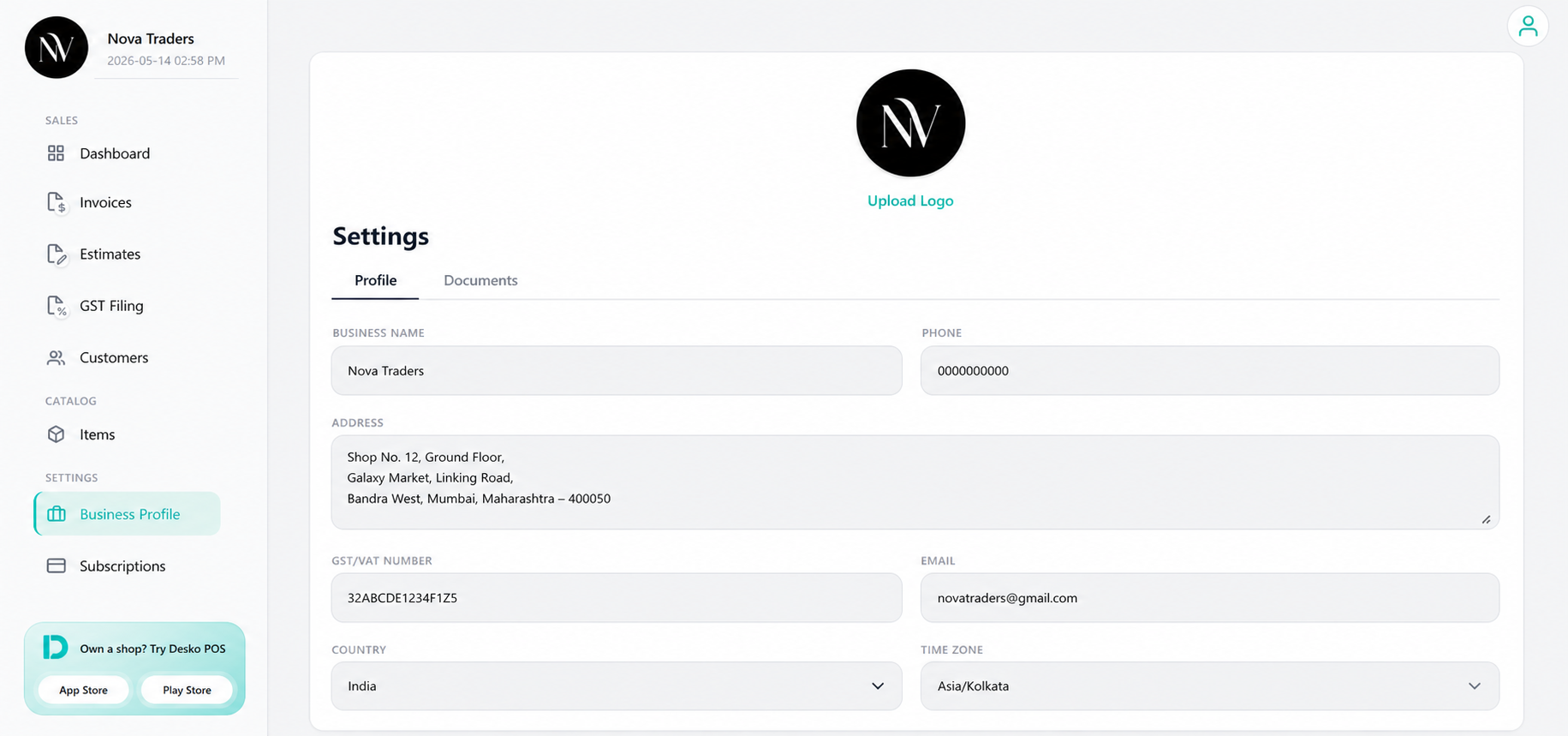
Fill the core business details:
| Field | Used for |
|---|---|
| Business Name | Invoice sender name, estimate sender name, receipts, and reminders. |
| Phone | PDF sender details, GST filing validation, customer communication. |
| PDF sender details, GST filing validation, reminder communication. | |
| Address | PDF sender block and compliance documents. |
| GST/VAT Number | GST/ZATCA/tax display in PDFs. |
| Country | Currency, tax behavior, add-on eligibility, and localization. |
| Time Zone | Reminder scheduling and date/time display. |
| Currency | Default currency for invoices, estimates, dashboard, and receipts. |
| Date Format | How dates appear to the user. |
| Time Format | 12-hour or 24-hour display. |
| Logo | PDF branding and document header. |
Logo setup
Upload a clear logo and adjust the logo fit if required.
Recommended logo format:
- PNG or JPG
- Transparent background if possible
- Square or wide logo that still looks clear in a PDF header
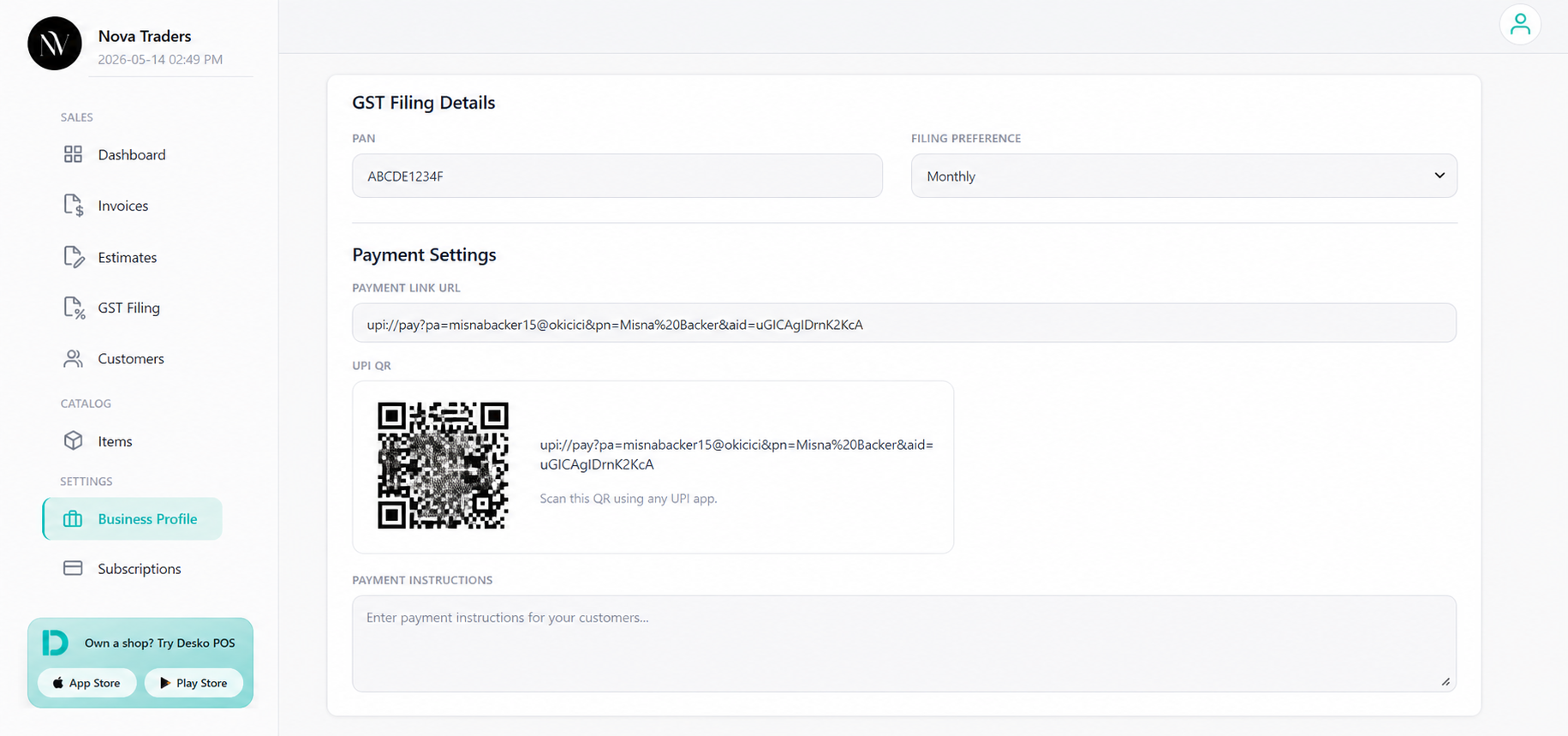
GST Filing Details
For Indian GST filing, complete:
- PAN
- Filing preference: Monthly or Quarterly
- GST/VAT number in the profile
- Business email
- Business phone
The GST Filing page checks these details before OTP/file actions.
Payment Settings
Use payment settings to show payment options documents.
Available fields:
- Payment Link URL
- UPI QR image
- Payment instructions
Documents tab
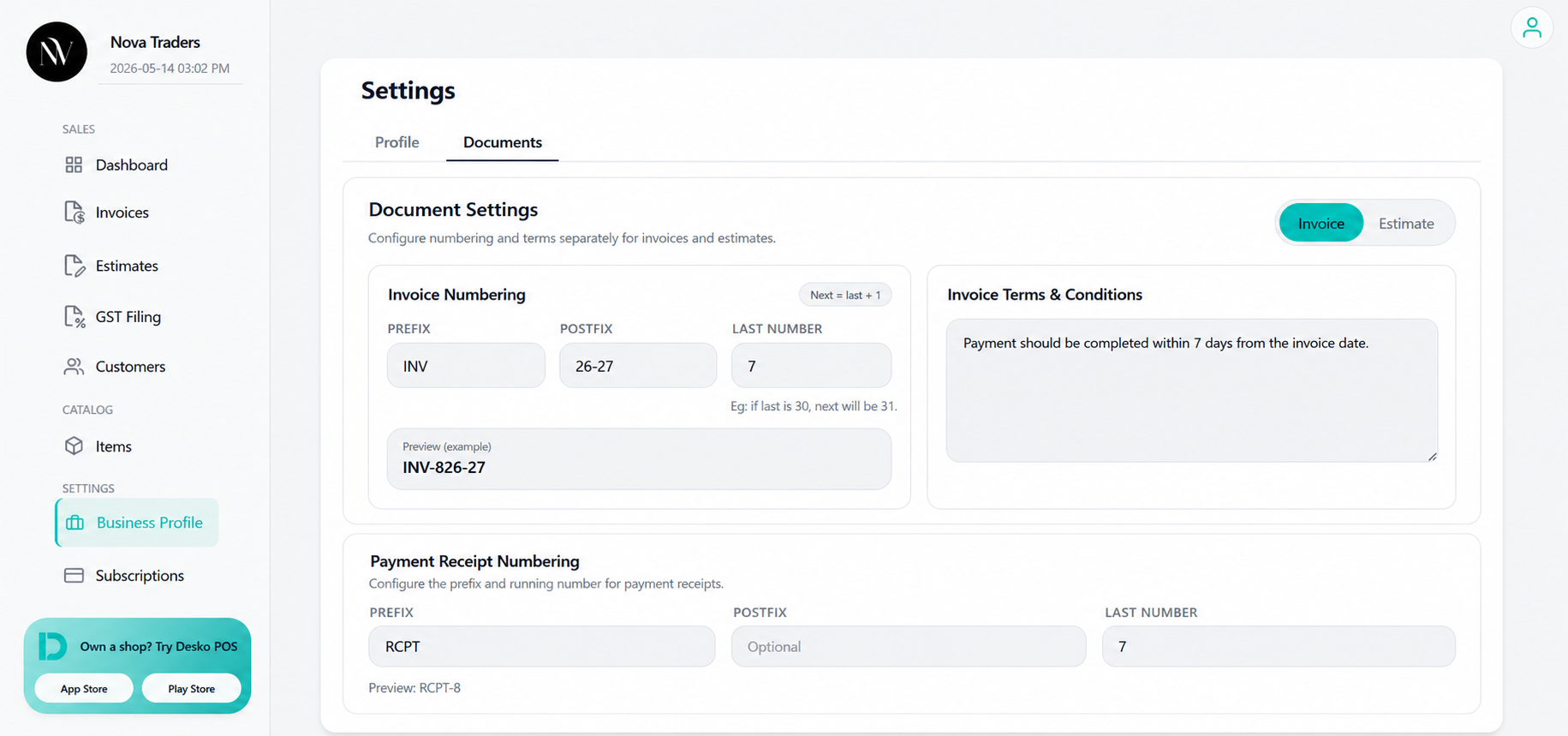
Use Business Profile > Documents to configure document numbering and terms.
Invoice numbering
Supported settings:
- Prefix
- Postfix
- Separator
- Last number
- Preview
Example:
Prefix: INV
Postfix: 2026
Last Number: 25
Next Invoice: INV-26-2026
Estimate numbering
Estimate numbering works separately from invoice numbering.
Example:
Prefix: EST
Last Number: 10
Next Estimate: EST-11
Payment receipt numbering
Payment receipts use the same document sequence approach with document type:
payment_receiptUse this when adding Payment Receipt Number settings in the UI.
Terms and conditions
You can set:
- Invoice Terms & Conditions
- Estimate Terms & Conditions
These terms are added into newly created documents so the user does not need to type them every time.
Template selection
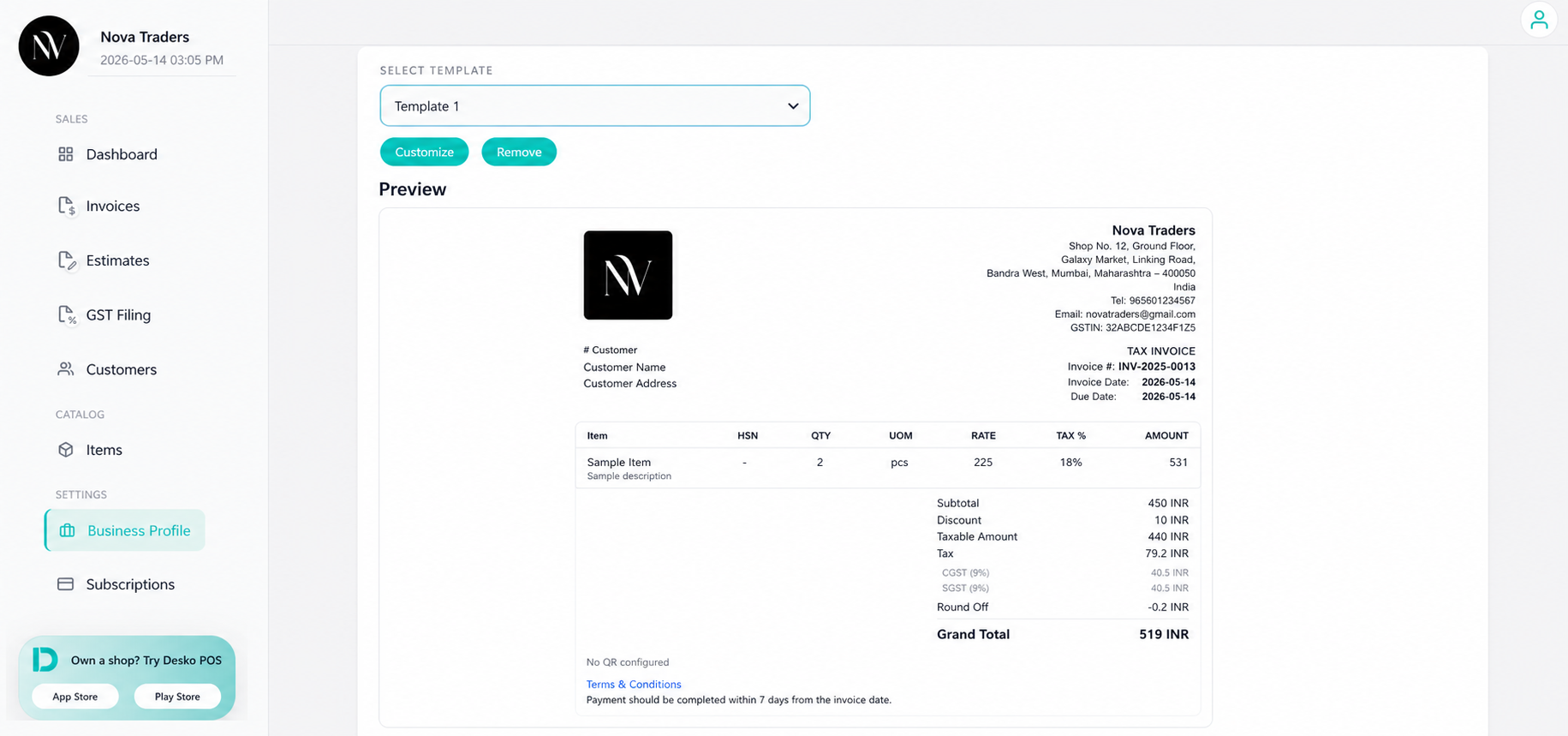
Business Profile supports default print template selection:
- Template 1
- Template 2
- Template 3
- Template 4 (ZATCA)
- Template 5
- Customized template based on a base template
The invoice preview page can still override the template for a specific document.
For more information on Business Profile setup, please watch the video below