GST Filing
The GST Filing page helps select invoice data for GST return preparation and filing workflows.
Before using GST Filing
Complete these fields in Business Profile:
- GSTIN / GST-VAT number
- PAN
- Business phone
- Business email
- Filing preference: Monthly or Quarterly
Invoices should also have:
- Invoice date
- Customer tax number for B2B invoices where applicable
- HSN codes where required
- Correct tax categories/components
- Valid totals
Filing frequency
Supported frequency:
- Monthly
- Quarterly
Financial year and period selection are based on Indian FY logic.
Transaction cards
The page groups invoices as:
- All transactions
- B2B invoices
- B2C invoices
B2B invoices are identified by receiver/customer tax number.
Eligible invoice statuses
GST Filing uses invoices with eligible sales/payment statuses such as:
- Sent
- Partially Paid
- Paid
- Overdue
Draft/cancelled style records should not be filed as active outward supplies.
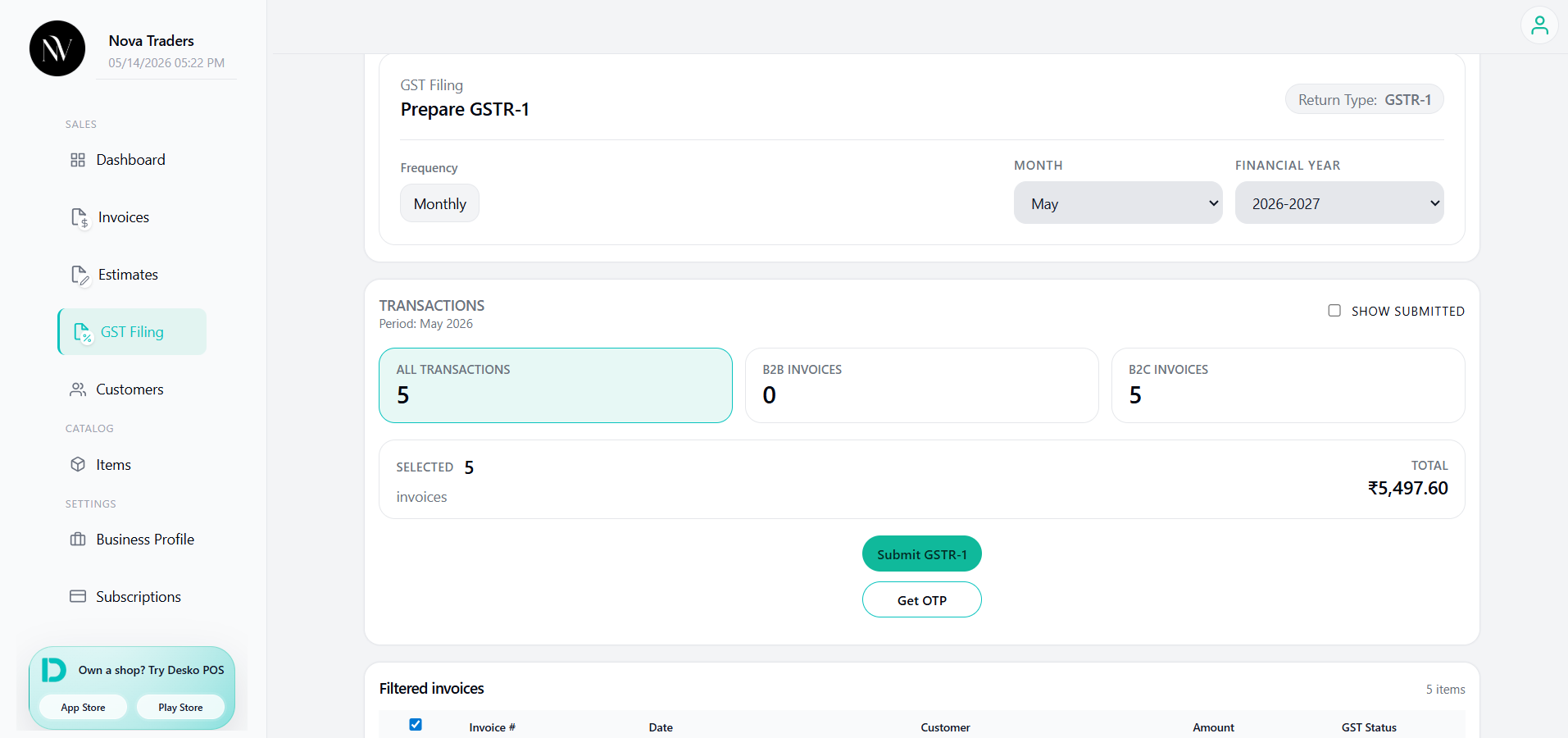
GSTR-1 flow
- Select filing frequency and period.
- Review filtered invoices.
- Select invoices to include.
- Click Submit GSTR-1 to save/prepare selected invoices.
- Click Get OTP.
- Enter OTP received on GST registered mobile.
- Click File GSTR-1.
- Review success/reference message.
GSTR-3B flow
GSTR-3B uses filed GSTR-1 invoices for the selected period.
- File or prepare GSTR-1 first.
- Click Submit GSTR-3B.
- Click Get OTP (3B).
- Enter OTP.
- Click File GSTR-3B.
GST status
Invoices may show GST status such as:
- Pending
- Processing
- Filed
- Failed
Common validation messages
| Message | Meaning |
|---|---|
| Business GSTIN missing | Add GST/VAT number in Business Profile. |
| Business PAN missing | Add PAN in GST Filing Details. |
| Business phone missing | Add phone in Business Profile. |
| Business email missing | Add email in Business Profile. |
| Choose invoices to file | Select at least one invoice. |
| Submit GSTR-1 first | Save/submit before OTP/file step. |
| No invoices for period | No eligible invoices match selected date range. |
Best practices
- Confirm invoice date is inside the selected filing period.
- Check B2B customer GSTIN before filing.
- Use proper tax categories and HSN codes.
- Do not file draft or test invoices.
- Keep provider/API credentials configured before production filing.