General Settings
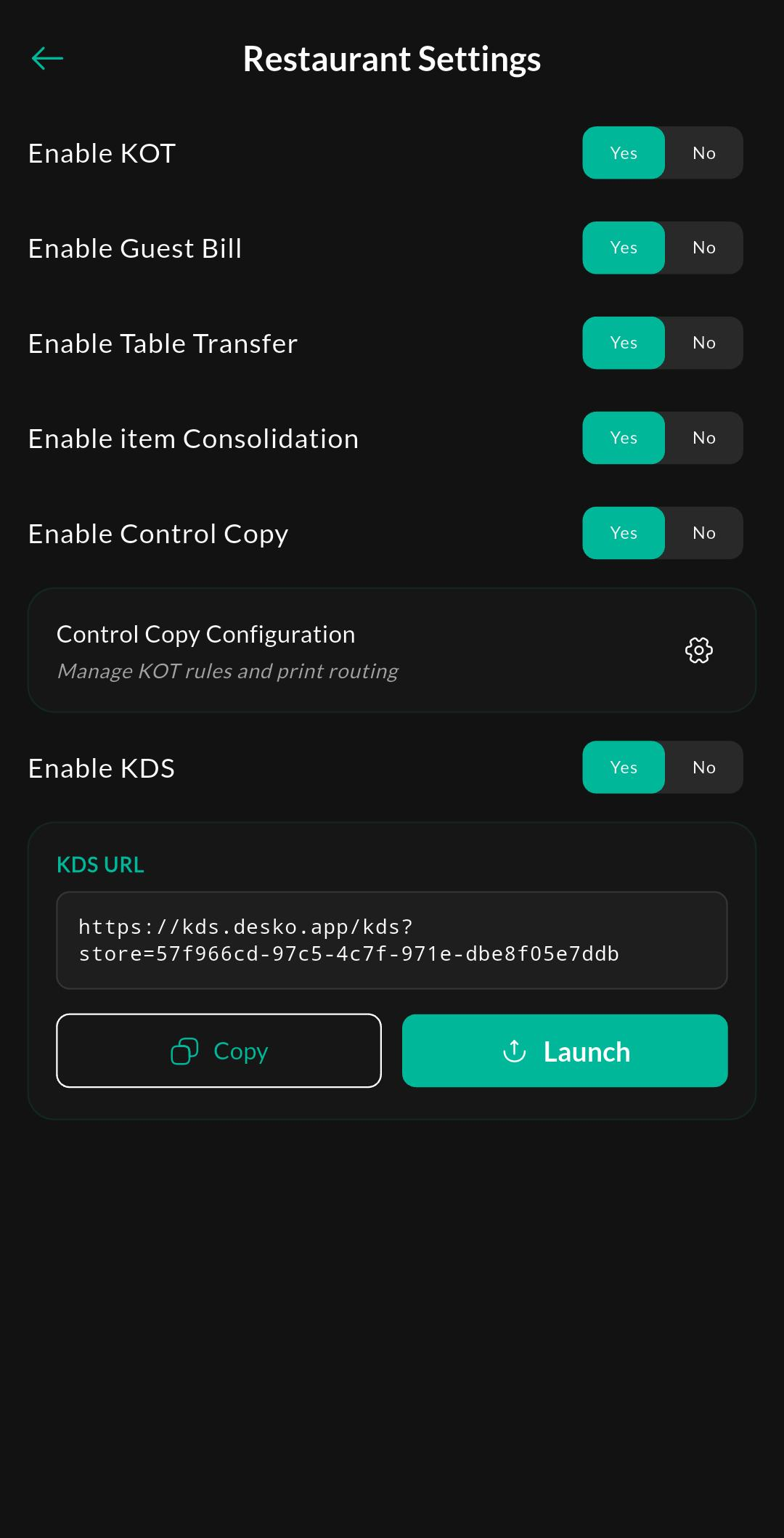
General Settings contains the core restaurant-mode controls that affect order routing, kitchen printing, and operational defaults.
Screen: Restaurant General Settings
Purpose
Use this screen to enable and review the restaurant workflow. The main switch here controls whether restaurant-specific features are available in Billing and floor management.
What this screen does
- Enables or disables restaurant-specific behavior for the store
- Controls KOT-related defaults
- Acts as the entry point for Control Copy settings
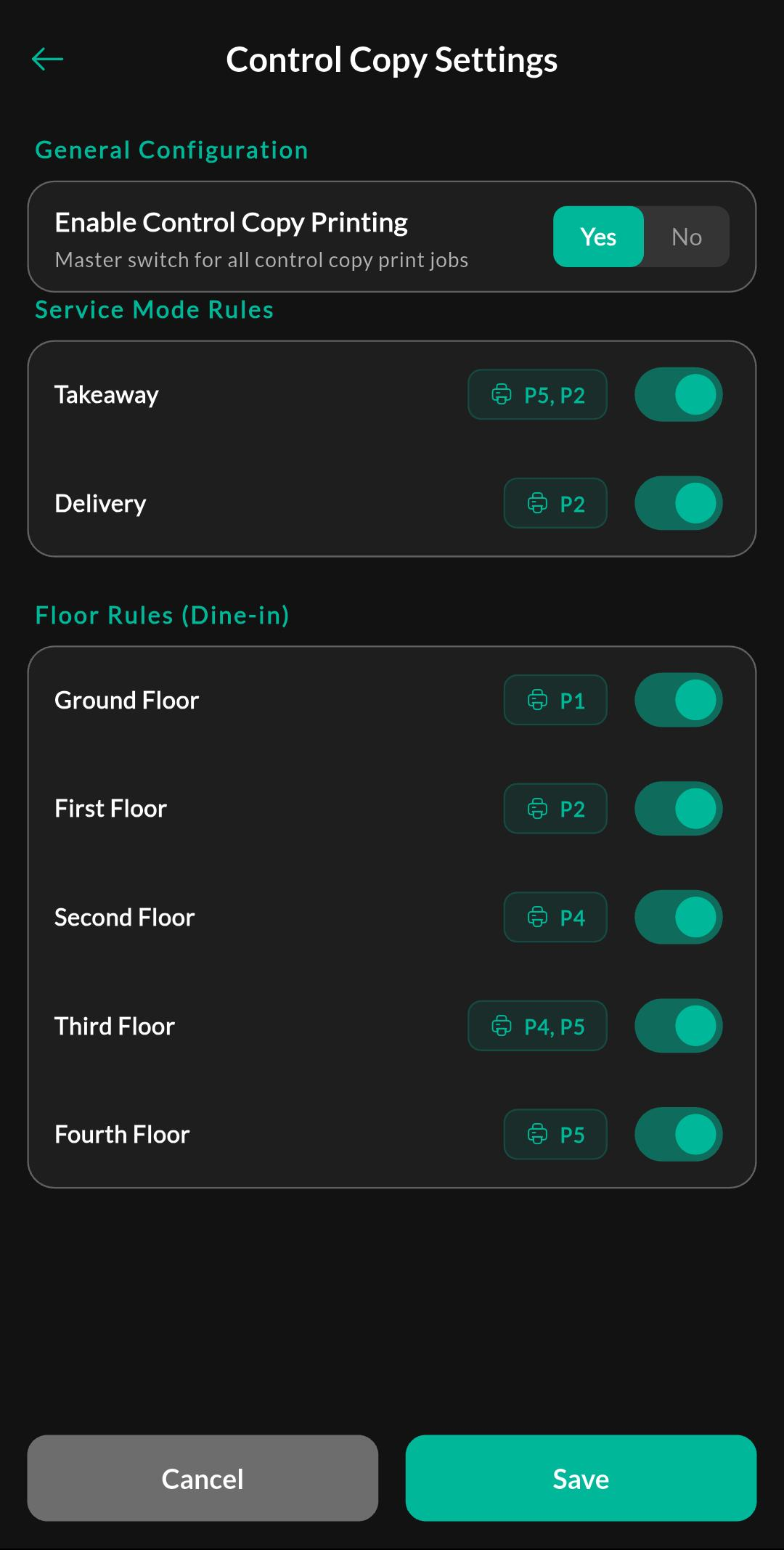
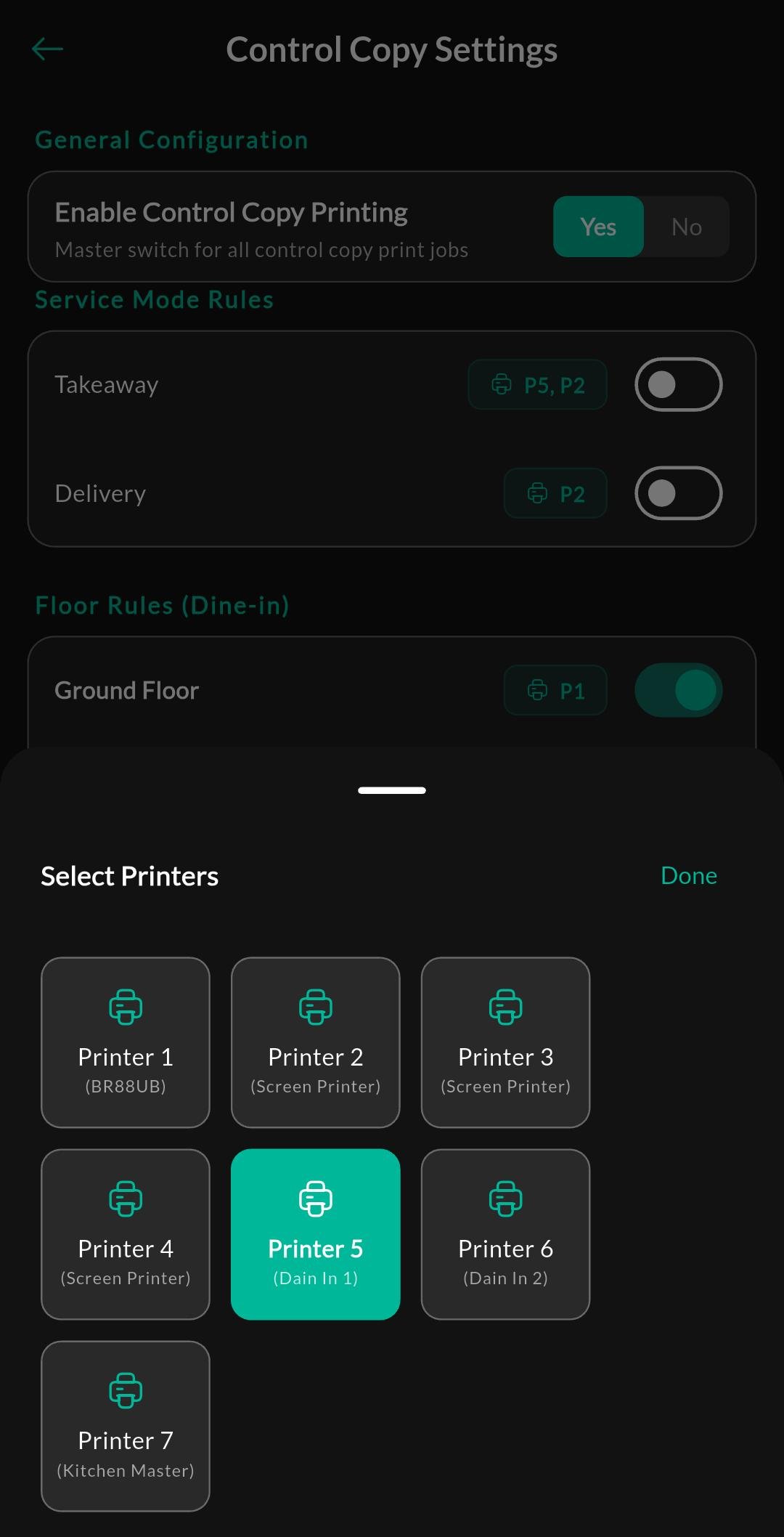
Screen: Control Copy Settings
Purpose
Configure routing and printer mapping for control copy output.
Recommended setup
- Enable restaurant mode if it is not already active.
- Open the dedicated Control Copy Settings page.
- Assign a printer number for each service mode or floor rule.
- Save the configuration and test with a sample order.
Related page: Control Copy Settings
Notes
Visibility
Restaurant Settings appears only when the Restaurant add-on is active, you have the required permission and enable Restaurant mode in Store Details.