Getting Started
This guide covers the complete first-time setup flow for Desko POS, from opening the app to reaching the Home screen.
Keep a WhatsApp-enabled phone number ready. Desko POS uses a WhatsApp OTP flow during store creation and sign-in.
Video Tutorial
Video: Sign Up Tutorial
Screen: Splash
Purpose
Initial loading screen. The app checks whether a store/profile exists on this device and routes you to:
- Welcome (new device / not login)
- Login (session exists but needs PIN)
Notes & behavior
- If you are unexpectedly sent to Welcome, verify that the device has not been cleared/reinstalled.
Screen: Welcome
Purpose
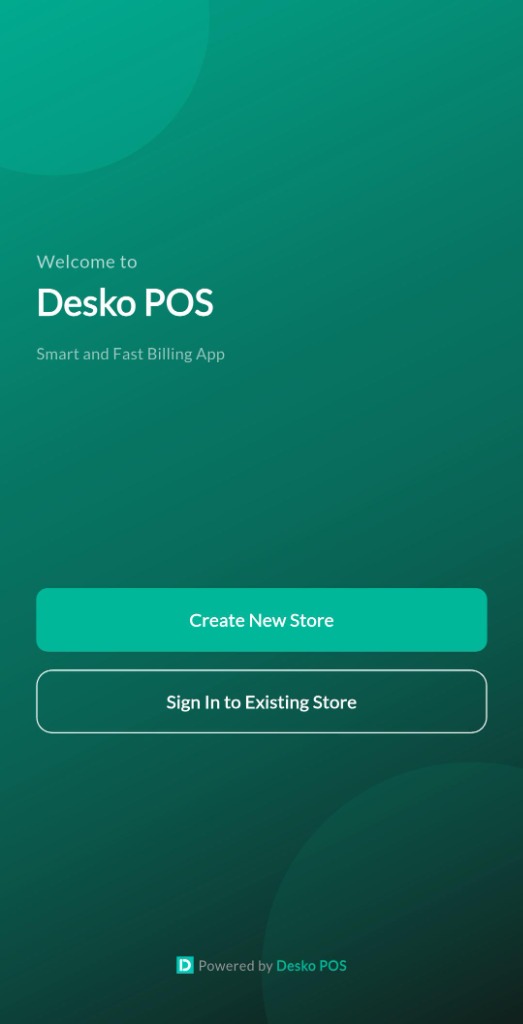
Entry point for new users and existing users.
How to use
- Choose Create New Store if you are setting up Desko POS for a new store.
- Choose Sign in to existing store if you already created a store and want to log in on this device.
Notes & behavior
- Language switching may be present in builds where the language selector is enabled.
Screen: Account Setup (WhatsApp Number)
Purpose
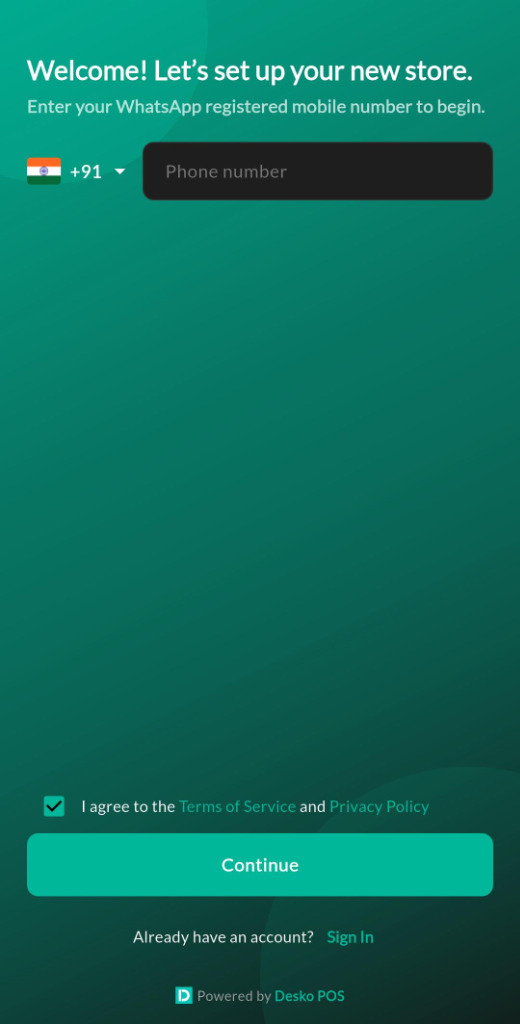
Capture the WhatsApp-enabled phone number that will receive the OTP and be used for store onboarding/sign-in.
How to use
- Select country code (flag picker).
- Enter your mobile number.
- Accept Terms of Service and Privacy Policy.
- Tap Continue.
Fields
| Field | Required | Type | Description |
|---|---|---|---|
Country code | Yes | picker | Used to format the phone number for OTP delivery. |
Mobile number (WhatsApp) | Yes | number | OTP is sent via WhatsApp for verification. |
Accept terms | Yes | checkbox | Must be enabled to continue. |
Validations & behaviors
- Continue is disabled until Terms are accepted.
- If the number is invalid or already registered, an error message may be shown under the phone field.
Screen: Verification (OTP)
Purpose
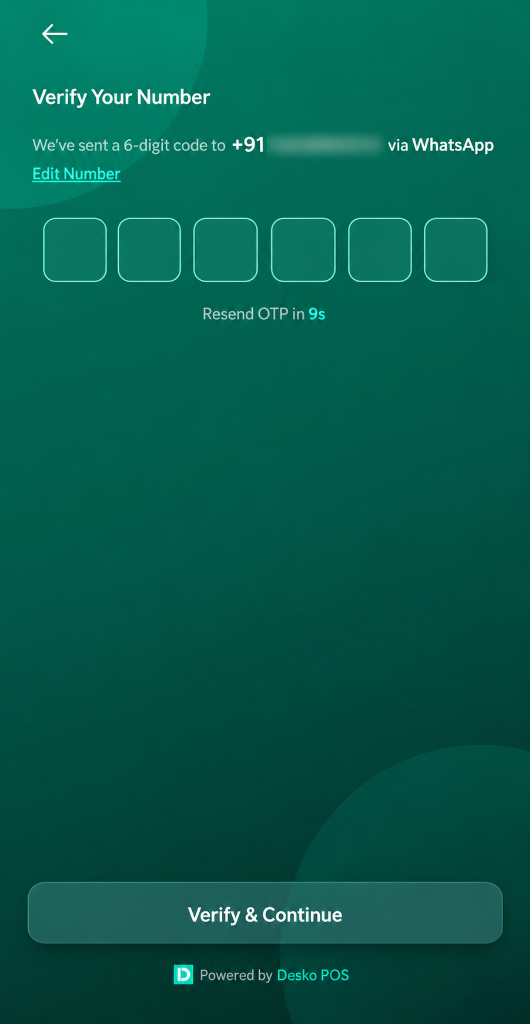
Verify your number using a 6-digit OTP delivered via WhatsApp.
How to use
- Enter the 6-digit OTP.
- Tap Verify & Continue (or wait for auto-submit on completion, depending on device).
- If the OTP expires, use Resend once the countdown reaches 0.
Fields
| Field | Required | Type | Description |
|---|---|---|---|
OTP (6 digits) | Yes | number | One-time verification code. |
Validations & behaviors
- Verify action is disabled until exactly 6 digits are entered.
- Resend is blocked until the timer ends.Screen: Payment Confirmation
- Edit number returns you to the previous step.
Screen: Store Details (Initial Setup)
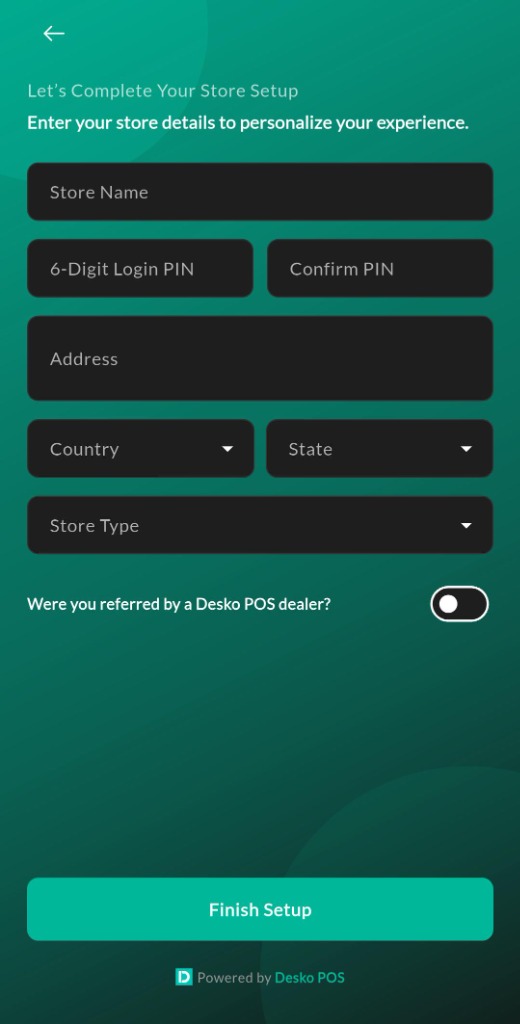
Purpose
Collect store profile details and set the device login PIN.
How to use
- Enter Store name.
- Set a 6-digit Login PIN and confirm it.
- Enter store Address.
- Select Country, then choose State and City (where applicable).
- If you selected Referred by Reseller, enter Dealer Code.
- Tap Finish.
Fields
| Field | Required | Type | Description |
|---|---|---|---|
Store name | Yes | text | Shown on receipts and in the Menu top bar. |
6-digit Login PIN | Yes | number | Used for sign-in on this device. |
Confirm PIN | Yes | number | Must match the Login PIN. |
Address | Yes | text | Store address details (multi-line). |
Country & State | Yes | picker | Used for regional settings and compliance where applicable. |
Dealer Code | No | text | Only required for reseller onboarding; typically a 5-character alphanumeric code. |
Validations & behaviors
- PIN must be exactly 6 digits.
- Predictable PINs (for example sequential or repeating patterns) may be rejected.
- Confirm PIN must match PIN.
- Dealer Code (when enabled) must be 5 characters.
Screen: Setup Success
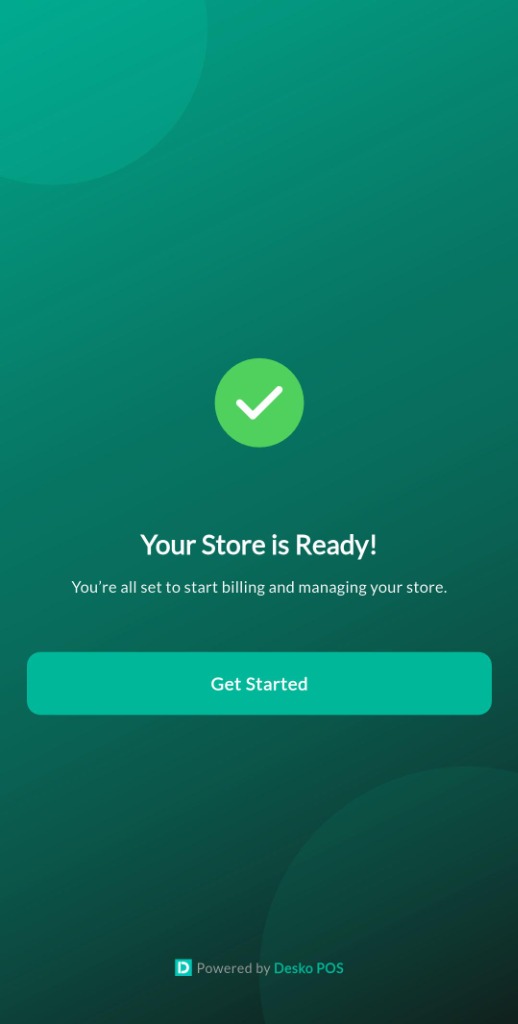
Purpose
Confirms store setup completion and takes you to Login for the first PIN login.
How to use
- Review success message.
- Continue to sign in with your newly created PIN.
Screen: Login (PIN)
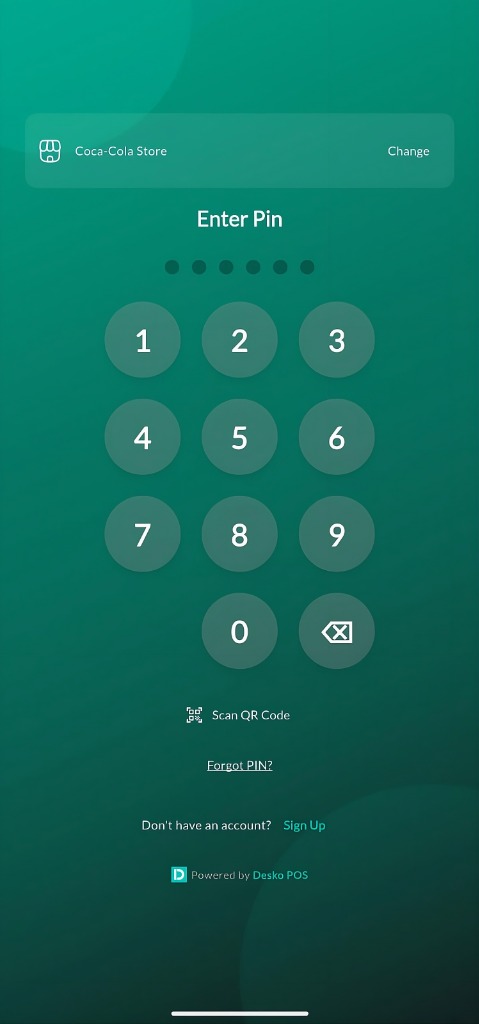
Purpose
Sign in to your store on this device using the 6-digit PIN.
How to use
- Confirm the phone number shown (or add/change it).
- Enter your 6-digit PIN using the on-screen dial pad or a connected keyboard.
- If needed, use Forgot PIN to start the reset flow.
Fields
| Field | Required | Type | Description |
|---|---|---|---|
Phone number | Yes | text | The phone number associated with this store login for the current device. |
PIN (6 digits) | Yes | number | Device login PIN created during Store Details setup. |
Notes & behavior
- On some devices, a QR sign-in button may be available.
- The PIN entry indicator shows 6 dots (filled as you enter digits).
Screen: Reset PIN (Forgot PIN)
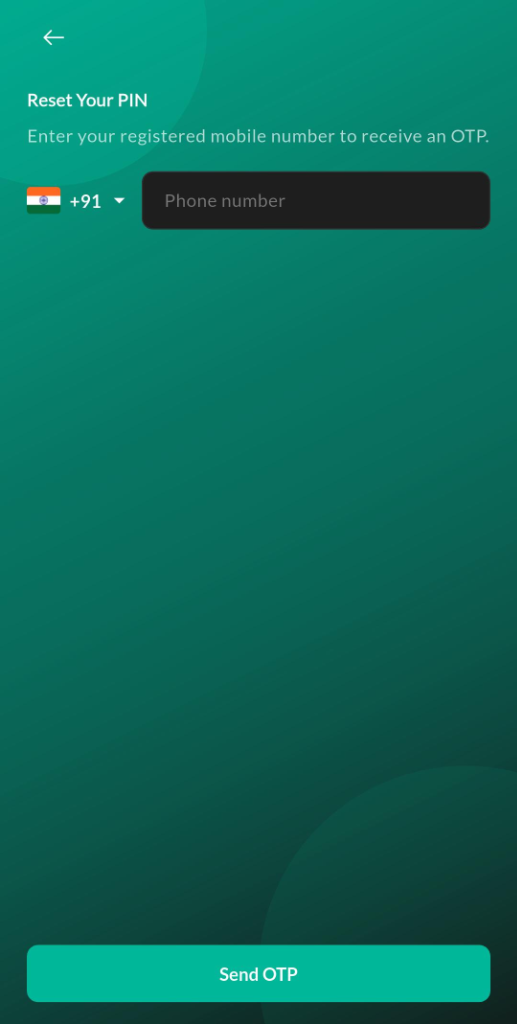
Purpose
Reset the device login PIN when the user forgets it (availability depends on build and permissions).
Notes & behavior
- Typically starts from Forgot PIN on the Login screen.