Close Cash
Close Cash is used to close the daily cash register sequence and submit end-of-day totals.
What the feature does
- Reviews the cash drawer totals for the day
- Helps reconcile expected and counted cash
- Finalizes the close-out process for the shift or day
Video Tutorial
Video: Close Cash Sequence
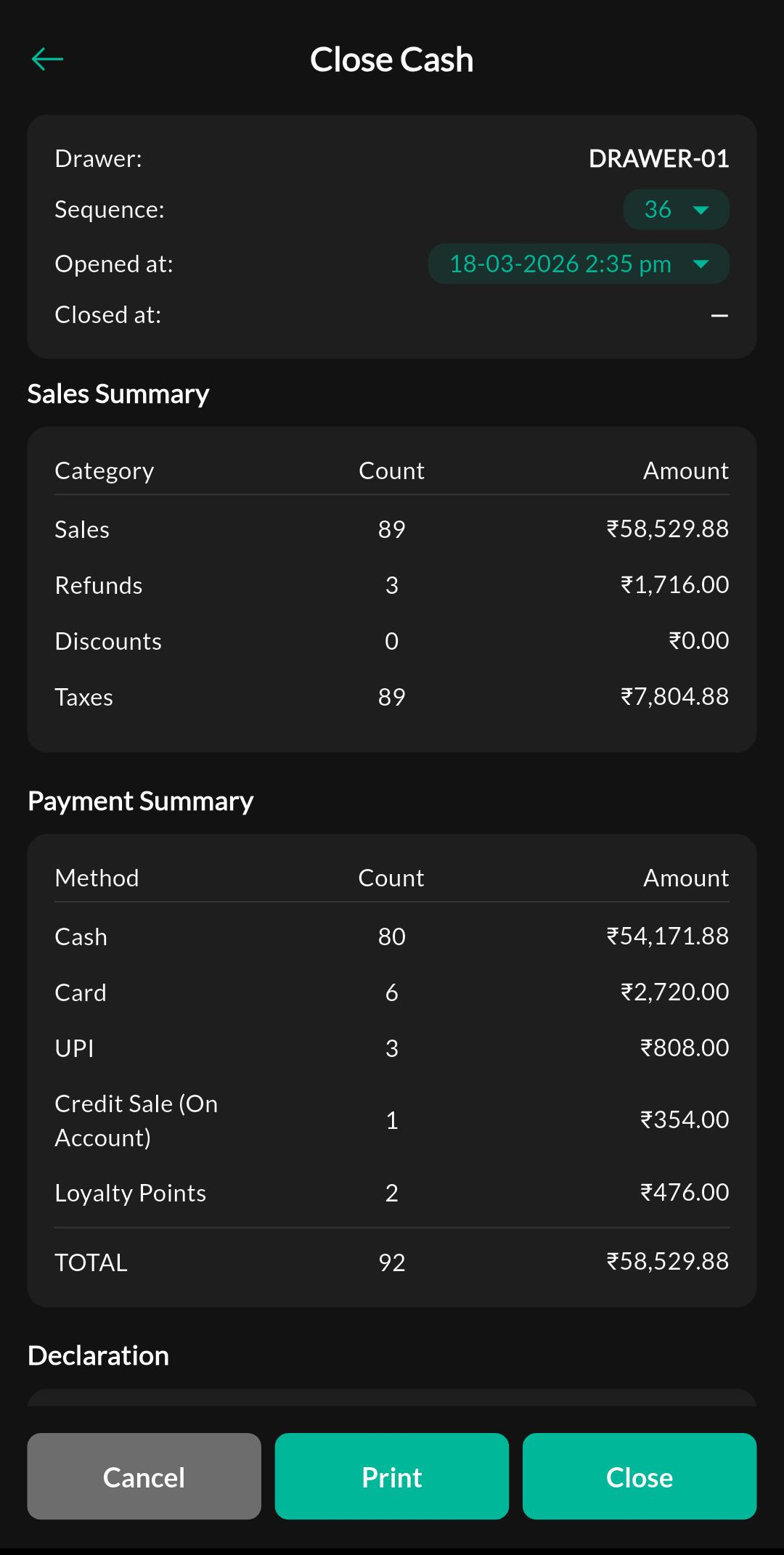
Screen: Close Cash
Purpose
Review cash totals for the current sequence and submit close cash.
How to use
- Open Menu > Sales > Close Cash.
- Check the total cash figures shown for the shift.
- Count the physical cash drawer if required.
- Enter or confirm the closing amount.
- Submit the close cash record.
Notes
Permissions
Close Cash typically appears only when your role has close-cash permission.