Subscription
Subscription shows the active plan, renewal state, and subscription-related transactions for the store.
What the feature does
- Shows the current plan and plan status
- Displays past subscription transactions
- Helps you review billing history for the store license
Screen: Subscription
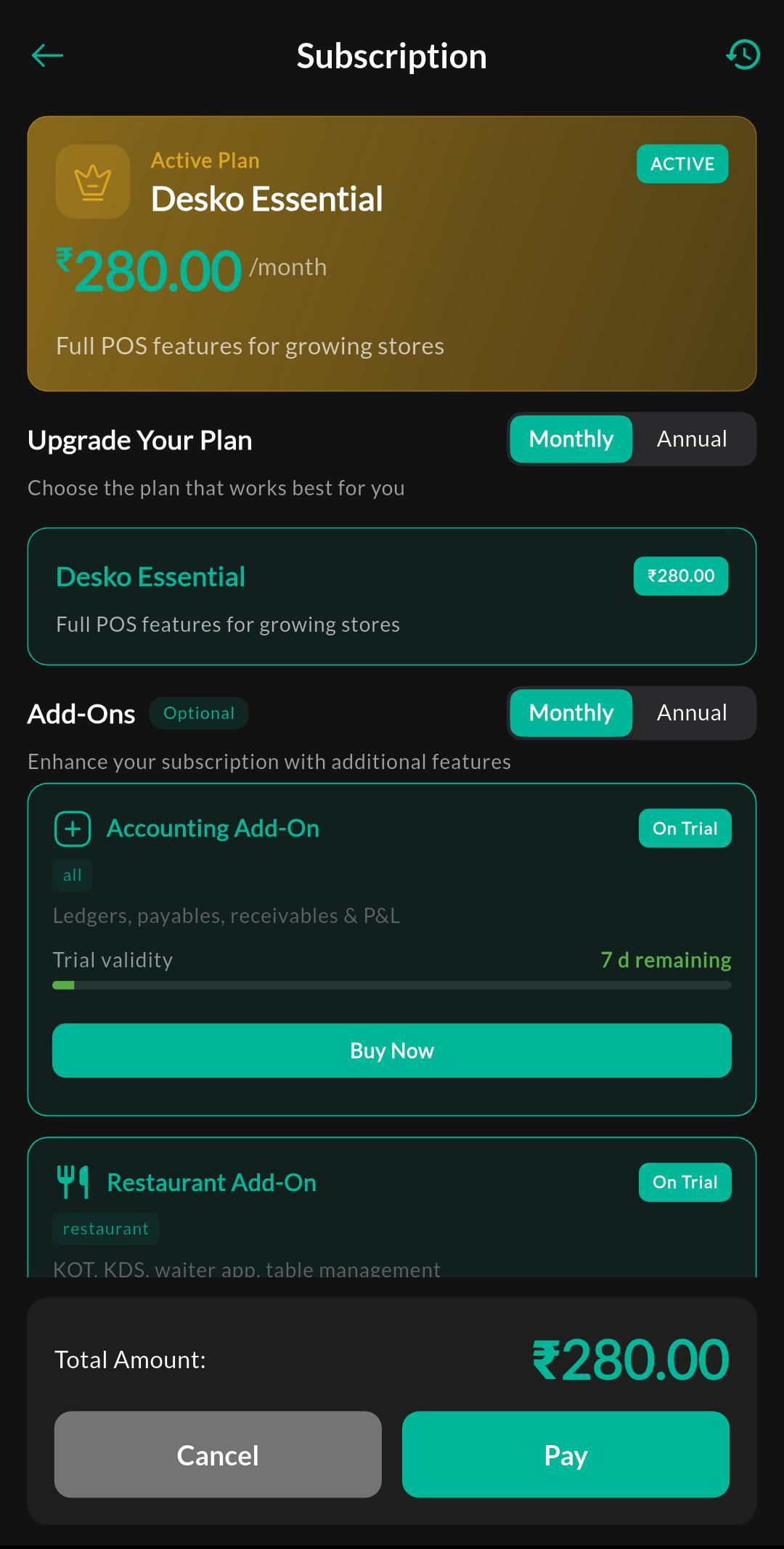
Purpose
Review the current plan, billing details, and subscription-related actions for the store.
Screen: Subscription Transactions
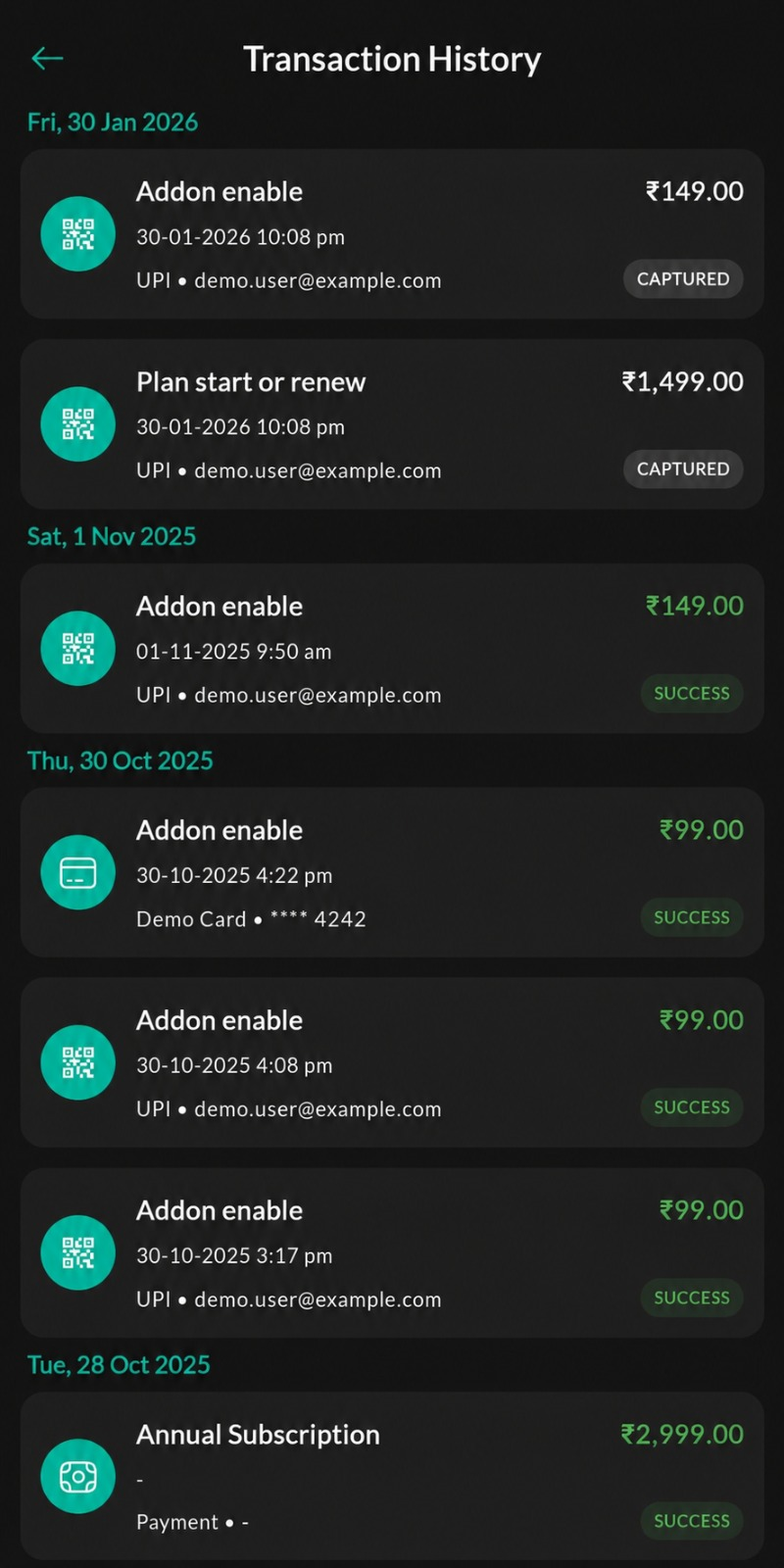
Purpose
View the billing history, invoice-related entries, and past subscription transactions.
How to use
- Open Menu > Billing & Subscription > Subscription.
- Review the active plan and status.
- Open transaction history if you need payment or invoice details.
- Confirm whether add-ons or plan changes are active.
Related settings
Troubleshooting
Plan not updating
Confirm that payment has cleared and refresh the subscription page after the billing provider updates the status.