Bills
Bills shows your sales bill list and lets you open previous bills for review, reprint, or reporting.
What the feature does
- Lists completed bills and refunds
- Opens bill details for review
- Supports reprint, share, edit, or refund actions based on permission
Screen: Bills History
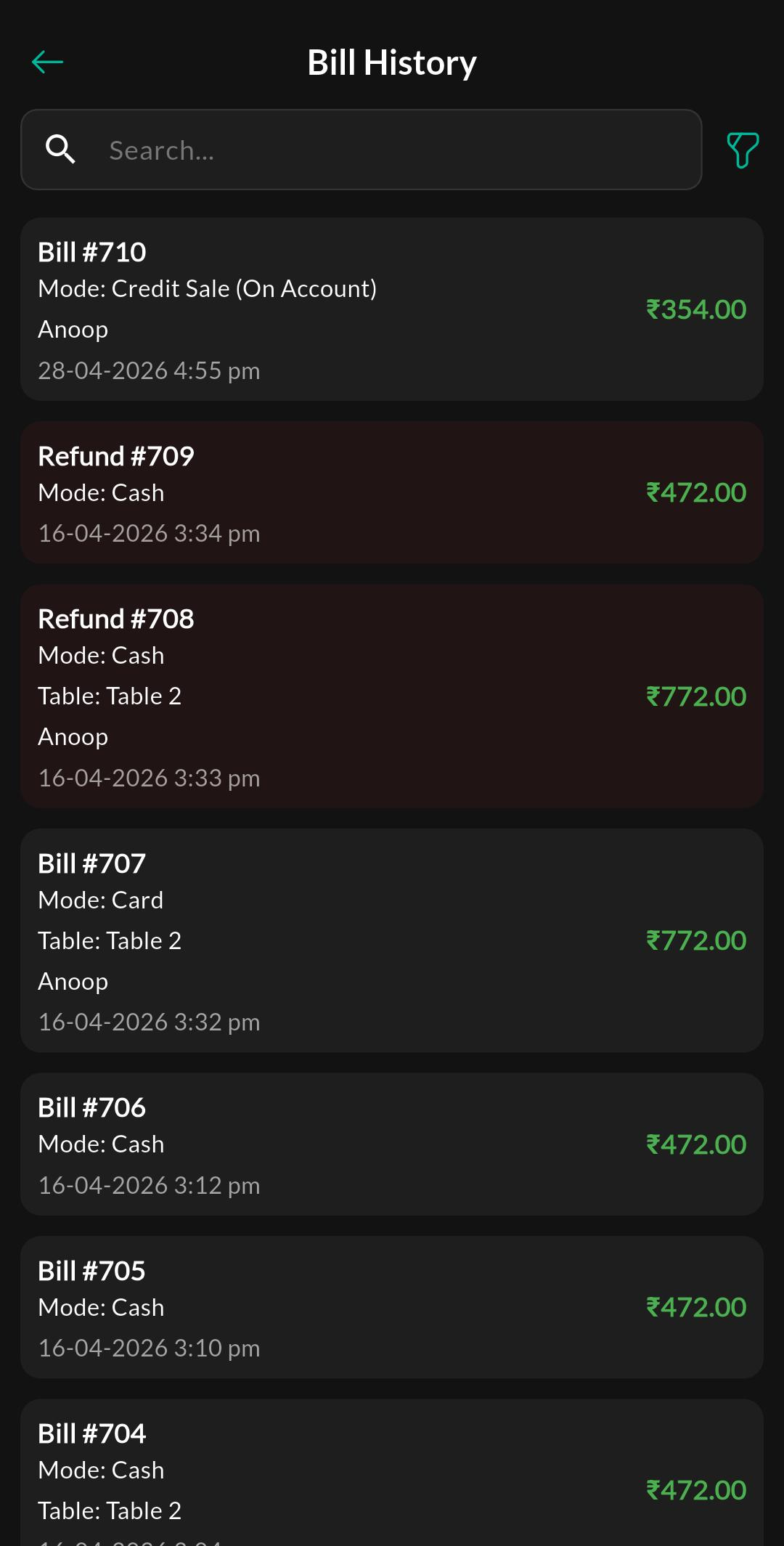
Purpose
Browse and search bills by date or sequence and open bill details.
Screen: Bill View
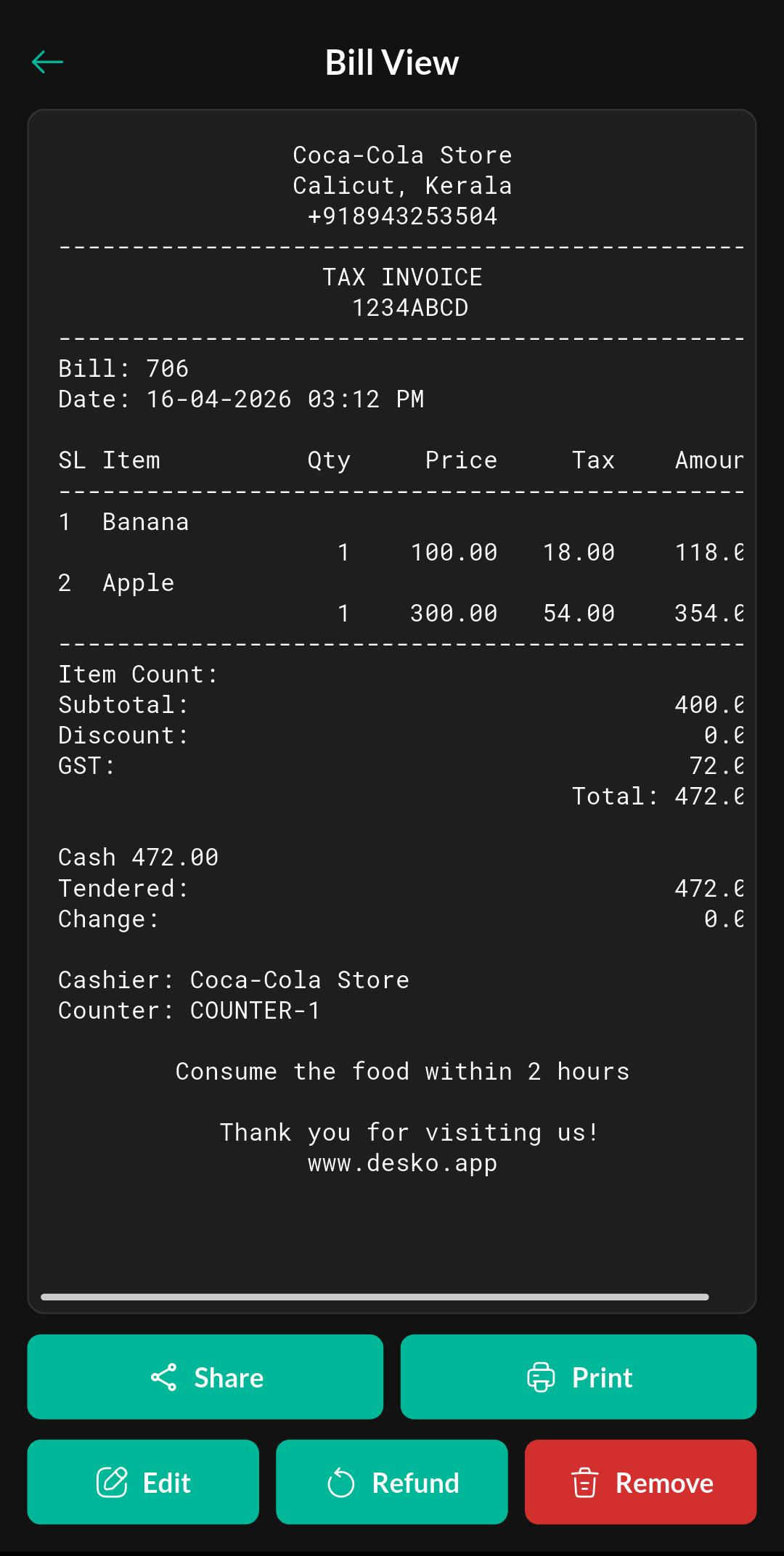
Purpose
View items, totals, taxes, payment method, and customer details.
How to use
- Open Menu > Sales > Bills.
- Search the bill by date or sequence.
- Open the bill detail page.
- Review or reprint the bill if your role allows it.
Notes
For Saudi stores, see ZATCA onboarding and invoice submission. A printed QR code alone does not confirm authority acceptance.
Permissions
Visibility and actions like reprint, edit, and refund can be role-controlled.