Printers
Printers is used to connect and configure receipt printers for billing printouts, KOT output, and other print flows that depend on a paired device.
What the feature does
- Lists all paired printers for the current device
- Lets you add a new printer connection
- Supports receipt and restaurant print routing through template and control-copy settings
Prerequisites
- The printer must be powered on and reachable from the device
- Bluetooth, USB, or network access must already be available depending on the printer type
- The correct print template should be configured if you need branded receipts
Screen: Printers
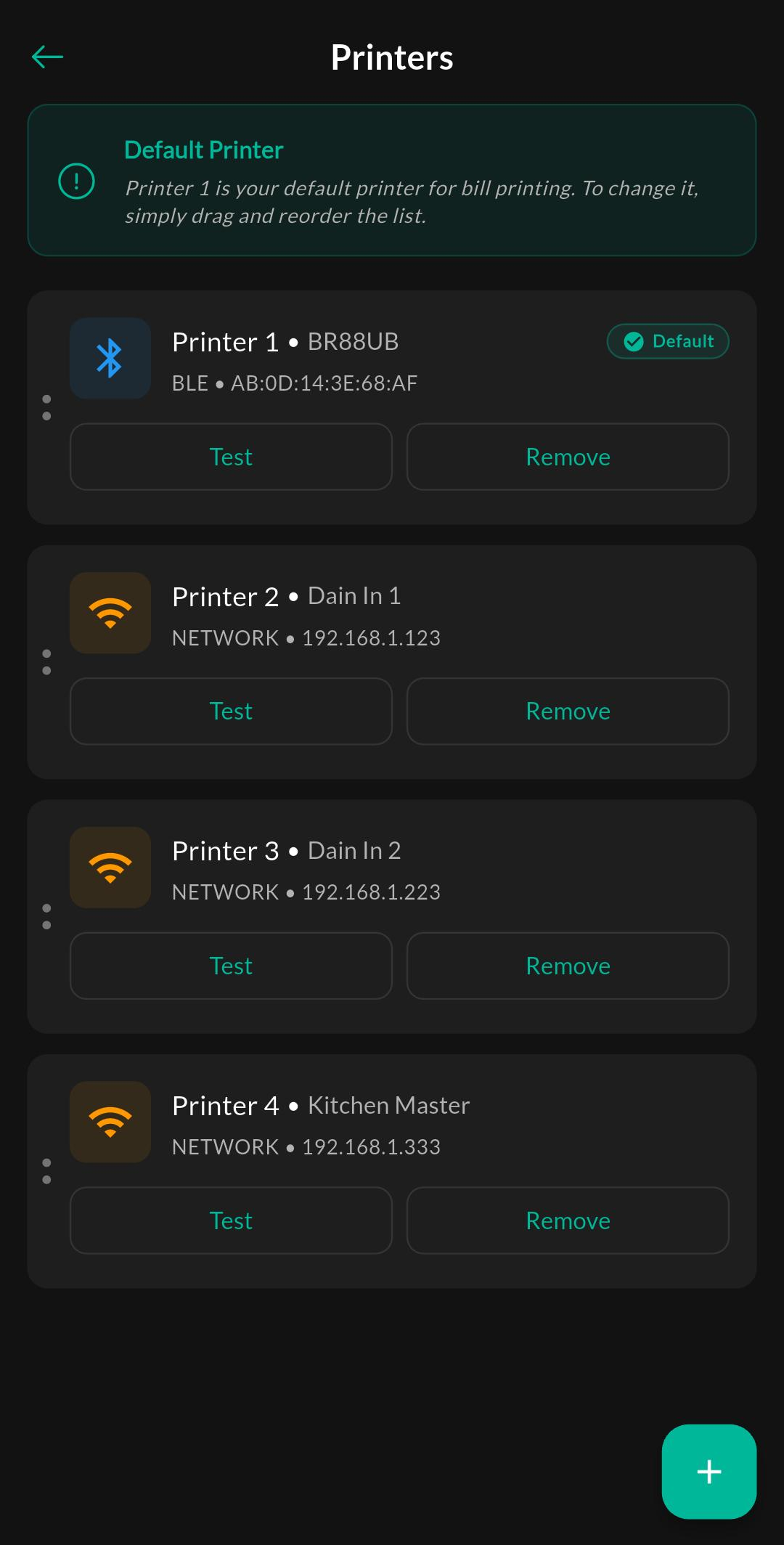
Purpose
View connected printers, confirm status, and edit the printer configuration used by billing or kitchen workflows.
Screen: Add Printer
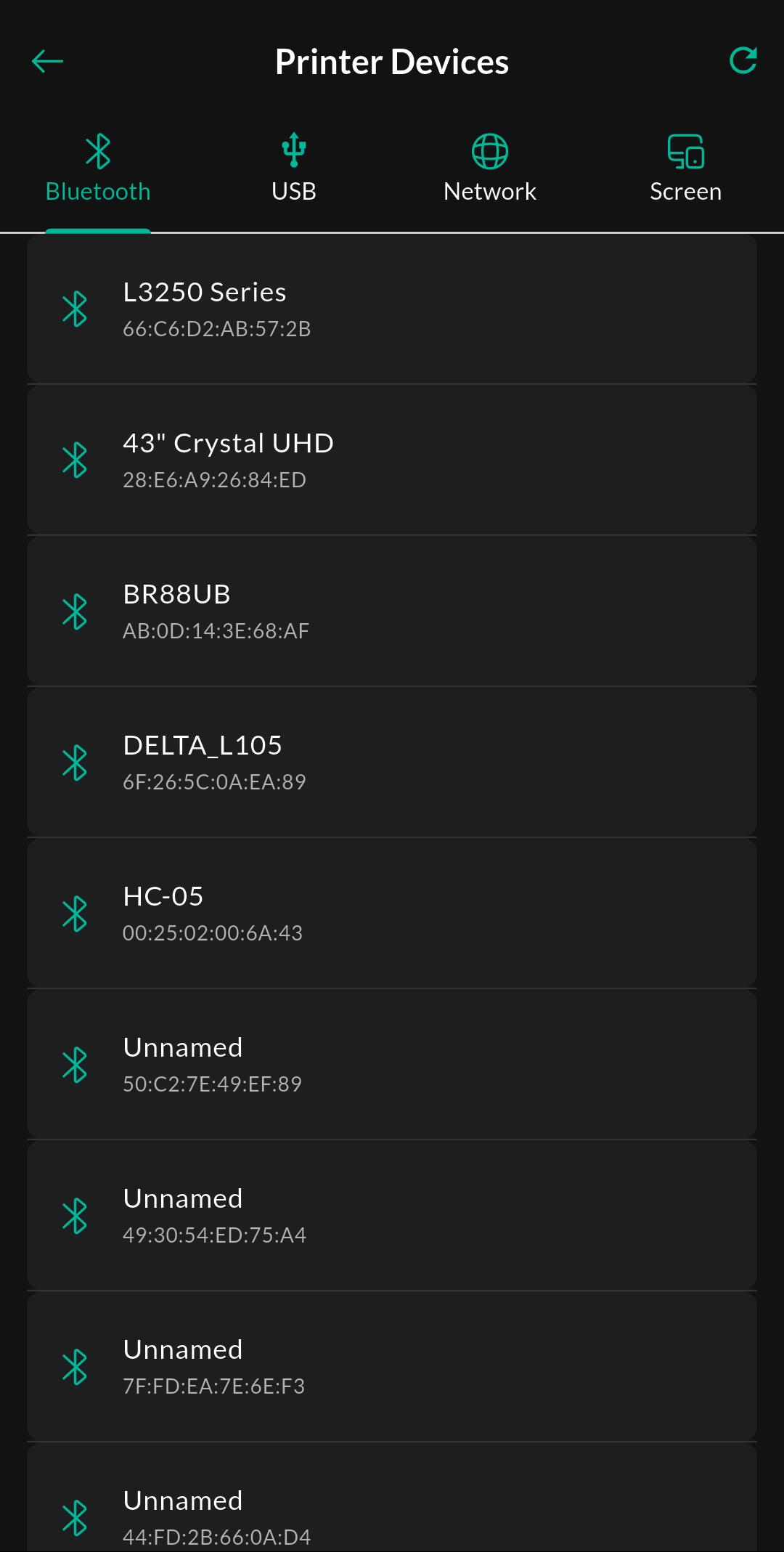
Purpose
Discover and pair a new printer. The exact connection path depends on the hardware and platform.
How to use
- Open the printer list.
- Tap Add Printer.
- Choose the available printer from the scan or connection list.
- Save the printer and print a test receipt.
Related settings
Troubleshooting
Printer not found
Confirm the printer is on, paired to the device, and allowed by the current platform permissions. Network printers also need the correct IP or network access.
Print is blank or incorrect
Check the selected print template and confirm the printer has paper, supports the layout, and is mapped to the correct workflow.